Instant Browser Access
Sign in from any PC, iOS, or Android device without downloading an app. The full casino loads directly in your browser.
Sign In to Robocat Casino
Access your account from any browser in seconds, with live chat support at [email protected] available around the clock if something goes wrong.
Keep Your Account Secure
What You Should Do
What You Should Avoid
Your Robocat Account at a Glance
Instant Browser Access
Sign in from any PC, iOS, or Android device without downloading an app. The full casino loads directly in your browser.
Account Security
Your login is protected by 256-bit SSL encryption and optional two-factor authentication via confirmation codes.
Mobile Login
The login page is fully optimised for Safari on iPhone and Chrome on Android, with the same layout and functionality as desktop.
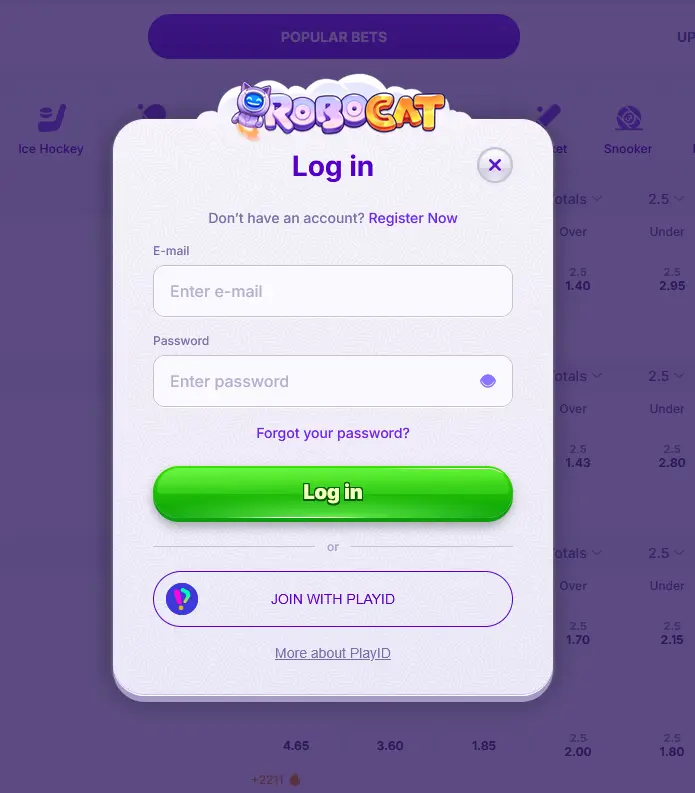
Robocat Casino uses a standard email and password sign-in across all platforms. There is no separate login system for desktop, mobile browser, or app because there is no dedicated app: the same credentials work everywhere, and your account balance, bonus status, and VIP tier follow you from one device to the next seamlessly.
When you arrive at the login page on robocatslots.com, enter the email address you registered with and your password, then click Sign In. If you ticked “Remember me” on a previous visit from the same browser, your email address will already be pre-filled. Two-factor authentication is available as an optional additional layer for players who want a confirmation code sent each time they log in.
Open robocatslots.com in any modern desktop browser (Chrome, Firefox, Edge, or Safari on Mac). Click the Sign In button in the top-right corner of the homepage. Enter your registered email address and password in the fields provided. Press Sign In, and the casino lobby will load within seconds. If 2FA is active on your account, a confirmation code will be sent to your registered email or phone; enter it to complete the login.
On an iPhone or iPad, open Safari and navigate to robocatslots.com. On an Android device, use Chrome. The site detects the screen size and loads the mobile-optimised interface automatically. Tap the Sign In button, which appears in the same top-right position as on desktop. Enter your email and password, then tap Sign In. All features, including PayID deposits, live chat, the Bonus Crab mechanic, and the full games library, are accessible immediately after login.
Robocat Casino does not have a dedicated native app for iOS or Android. The mobile browser experience is the app-equivalent: it loads instantly without a download and delivers the full platform including account management, the cashier, and live streaming from Evolution Gaming and Pragmatic Play Live studios. Adding the site to your home screen from Safari or Chrome creates a shortcut icon that opens the casino directly, mimicking the feel of a native app.
Robocat Casino applies 256-bit SSL encryption to every connection between your device and the platform, including the login page, the cashier, and the live casino streams. This ensures that credentials and payment data transmitted during a session cannot be intercepted by a third party on the same network.
For an additional layer of protection, enable two-factor authentication through the account security settings. Each time you log in, a confirmation code is generated and sent to your registered contact method, meaning a correct password alone is not sufficient to access the account from an unrecognised device. Players on Android mobile should use Chrome’s built-in password manager rather than saving credentials in a third-party app, and should always log out after sessions on shared devices.
Robocat will never send an unsolicited email asking you to confirm your password or payment details. If you receive such a message, do not click any links and report it to [email protected] immediately.
Most login failures fall into a small number of categories and have straightforward fixes.
Incorrect email or password. Double-check that your email address is spelled exactly as it was entered during registration, paying attention to dots and plus signs. Passwords are case-sensitive, so verify that caps lock is off. If you cannot remember your password, the Forgot Password link on the login screen will send a reset link to your registered email address.
Account not yet verified. If you registered recently and have not yet clicked the verification link sent to your email, the account will not accept logins. Check your inbox, including the spam or junk folder, for the verification email from Robocat. If it has expired, contact [email protected] to have a new one sent.
Account temporarily locked. After a number of consecutive failed login attempts, Robocat’s security system temporarily locks the account to prevent automated access. Contact the 24/7 live chat team or email [email protected] to unlock it. You will need to confirm your registered details to pass the identity check.
Browser or cache issue. If the login page fails to load or submit correctly, clear your browser cache and cookies, then try again. Alternatively, try a different browser or switch from the mobile browser to a desktop browser. Logging in through an incognito or private window rules out a corrupted session as the cause.
VPN or geo-restriction. Robocat Casino’s site may behave differently if accessed through a VPN. If you normally use a VPN, try disabling it and logging in again from your standard connection.
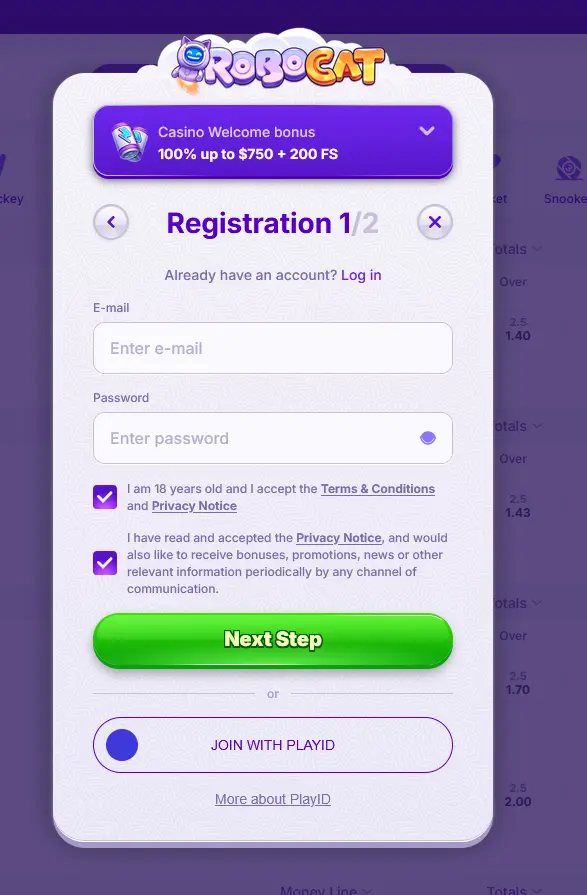
Registration at Robocat Casino takes under three minutes and is completed entirely within the browser. Click the Register button on the homepage, choose your welcome bonus preference (including the Australian package of up to $5,500 plus 150 free spins), enter your email address and password, fill in your personal details, select AUD as your account currency, confirm you are 18 or older, and verify your email via the link sent to your inbox. Once verified, you can deposit via PayID, Mastercard, or any supported cryptocurrency and start playing immediately across the casino and sportsbook.
Login Questions Answered
Click Forgot Password on the login screen, enter your registered email address, and follow the reset link sent to your inbox. If the email does not arrive within a few minutes, check your spam folder before contacting support at [email protected].
Yes. The Robocat Casino login page is fully optimised for Safari on iOS and loads the complete interface including the cashier, live casino, and Bonus Crab feature without any additional download.
Contact the Robocat support team via live chat or email at [email protected]. The team is available 24/7 and can verify your identity and restore access once your details are confirmed.
Yes. Robocat Casino supports optional 2FA via confirmation codes, adding a second verification step each time you log in from a new device or browser.
Ready to Play? Sign In Now
Grab 100% up to $5,500 and 150 free spins.
Enter Robocat You must be 18 or older to play here. Gambling carries risk, so please set your own limits. Bonus terms apply.